Topic
Topic author: Jacques M.
Posted on: 20131024051043
Hello!
A problem with my new computer...
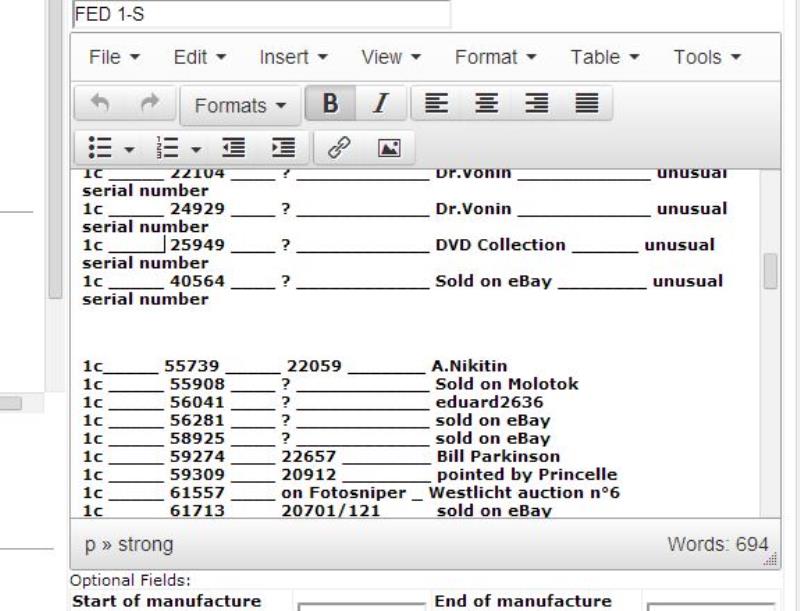
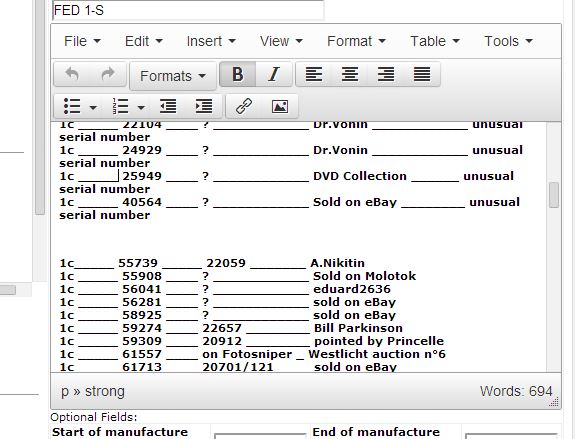
When I want to edit something in the wiki, the text does not appear in the screen...
Any advice? Thanks!
Jacques.
Reply author: Jacques M.
Replied on: 20131024054633
Solved.
It was simply a problem of compatibility with my new computer.
Jacques.
Reply author: Vlad
Replied on: 20131025093114
Jacques what web browser/version please so I know if there is an issue.
Thanks,
Vlad.
Reply author: Jacques M.
Replied on: 20131026045144
Thanks, Vlad. It is repaired now.
It seems that the last version of Windows is too new... My computer did what must be.
I always have problems with my scan, but you cannot do anything!
Amitiés.Jacques.
Reply author: Niko80
Replied on: 20140204210539
Vlad, did you change anything in the Wiki editing options lately?
At least on my computer it looks terrible, there is no possibility to switch between text and code form anymore. It's normally all text with most buttons showing gibberish, or - if I switch off Javascript in the browser - all code. But then the editing window shows a mess of code in one piece without each line of code actually beginning in a new line. Hard to explain, I can make screenshots.
Browser is FF24.2.0 on Win7.
Might be a Javascript issue as I am usually blocking it. If I unblock cachefly.net I get from code to text form in the editor but that doesn't make it more functional, most is still broken even if I allow all scripts.
Regards,
Christian
Reply author: Vlad
Replied on: 20140205090018
Hi Christian.,
I've replaced the FCKEditor WYSIWYG editor I was using before on the site beacause it stopped working for pretty much most people after latest browser updates and after migration to the new hosting. I've tested this new one on all latest versions of browsers, all these editors require unrestricted javascript in order to function and your browser security has to be set at medium. Also make sure you're not running any browser extensions/plugins/toolbars that may be blocking it. If you have stuff installed like Adblock Plus etc, make sure you create an exception for ussrphoto.com in order to not block any scripts. Right now I'm embedding the script from the remote server but I will eventually be moving the script files locally, just hadn't had any time to do so, that may help maybe, it's possible something is having issues on your end with cross-domain script references.. Have you tried Chrome? I normally never have any issues with that browser. Firefox seeems to introduce various javascript changes in each version that break something in every version (not even talking about I.E. what a mess that browser is, speaking from development experience [:)]). Let me know if Chrome works for you and I'll look into bringing script includes locally plus enabling extra features like we had in FCKEditor since the out of the box it's pretty basic. Sorry in order to see full feature set of this site you need to allow all javascript here.
Thanks,
Vlad
Reply author: Vlad
Replied on: 20140205102321
Christian, I've added all the features to the editor and moved the script references to local. Please make sure you don't block any javascript. You can now edit the source code via one of the menu options.
Thanks,
Vlad
Reply author: Niko80
Replied on: 20140205134806
Thanks, looks better now.
But for me the code is still displayed without proper formatting, see screenshot of FED1c entry.

http://imageshack.com/a/img401/2223/2ii8.jpg
Enabling JS and disabling adblock hasn't changed anything.
May very well still be a JS issue.
I'm a bit paranoid when it comes to going online, I use a security hardened version of Firefox ESR which does not allow the execution of certain scripts and plugins. However this has rarely led to any problems.
Reply author: Vlad
Replied on: 20140205203724